Find Drive Files Owned by Suspended Workspace Users
Suspending a user doesn't stop their files being shared. Here's how admins find exposed files owned by suspended users and decide what to do with them.
Overdrive Team//6 min read
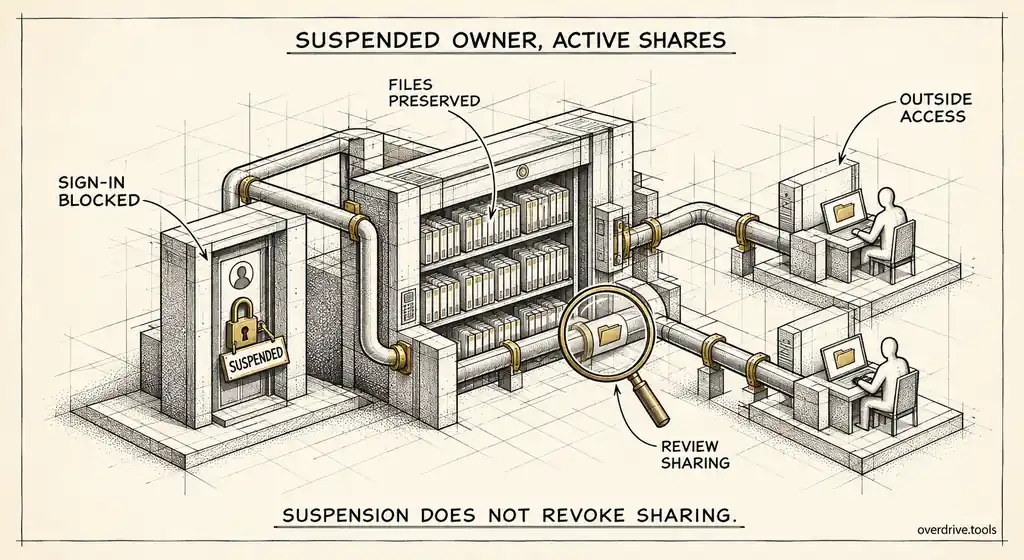
Suspending a Google Workspace user stops them signing in. It does nothing to the files they own. Every document they shared with colleagues, clients, contractors, or their own personal Gmail account stays shared, and the people on the other end keep the same access they had the day before. Google says so directly: collaborators keep their ability to view, edit, and collaborate on a suspended user's shared documents.
That's intentional, because suspension is meant to preserve work, not break it. But it creates a blind spot. The person responsible for those files is gone, nobody else is watching them, and their external sharing can carry on for months while the account sits suspended waiting for a decision. Here's how to find those files and deal with them.
Why suspended accounts accumulate exposure
Suspension is the right first step for almost every departure. It's reversible, it keeps data intact, and it gives you time to handle legal holds, transfers, and handovers properly. The problem is that "for now" often becomes "indefinitely."
In many organizations, suspended accounts pile up. Some are waiting on a manager to confirm what should be kept. Some are on legal hold. Some were simply forgotten after the person's last day. Each one still owns files, and many of those files are still shared outside the company.
This exposure is particularly easy to miss because nobody inside the organization feels responsible for it. The owner has left. Their manager may not know what they shared. IT sees a suspended account and assumes the risk has been handled. Meanwhile, a client folder shared with an agency two years ago, or a document the person shared with their own personal address, is still open.
Finding suspended users
Start with the list of accounts. In the Admin console, open Directory, then Users, and filter by user status to show suspended accounts. Note each one, along with when they were suspended if you can find it, since accounts suspended long ago are the ones most likely to have been forgotten.
Then check what each one still owns and shares. This is where Google's tools get slow.
Finding their exposed files
Here are your options.
Option 1: See suspended-owner exposure across the domain
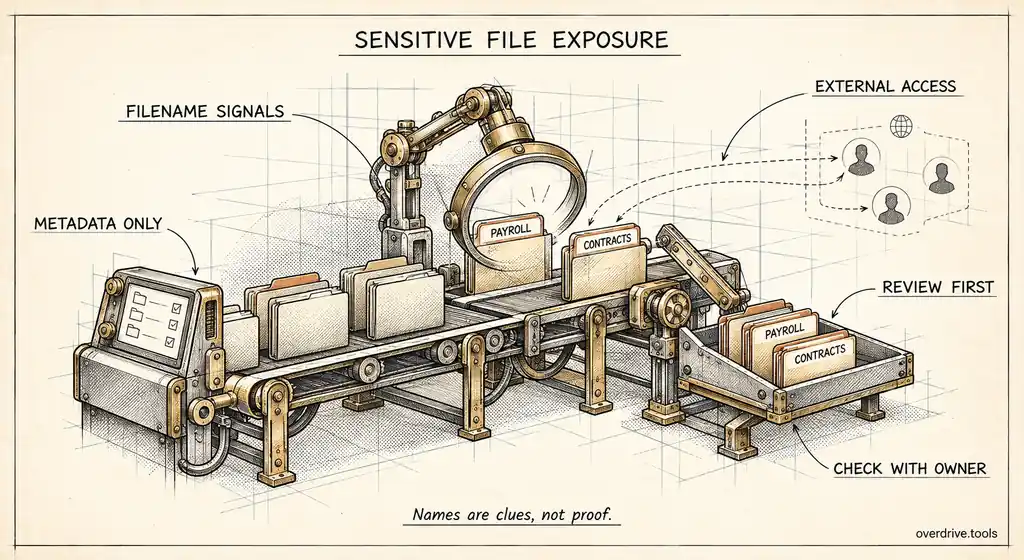
Overdrive for Google Workspace connects with read-only access and treats files owned by suspended users as their own finding type. It also raises the severity of any external exposure on a file whose owner is suspended, since nobody is actively responsible for it. You can filter the users list to suspended accounts and see each one's risky files and external shares, then email the right person or open the relevant Admin console page directly. It reads metadata only, never file contents.
Option 2: Search the Drive audit log by owner
Drive log events can be filtered by the owner of the files involved. Filtering to a suspended user and looking at sharing and visibility events shows what they shared during the six-month retention window. It won't show sharing that happened earlier, and for long-suspended accounts that's most of it.
Option 3: Transfer and review
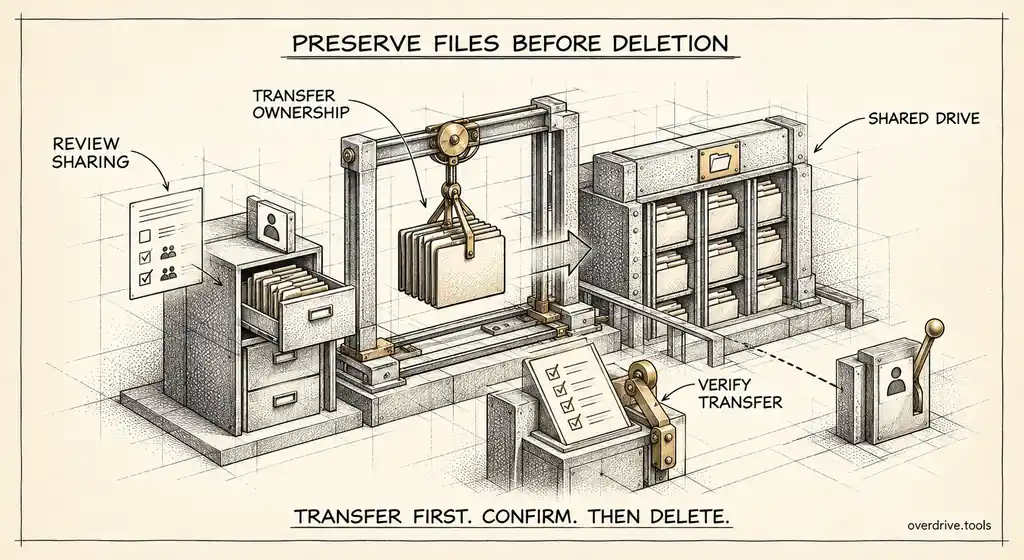
Transferring a suspended user's files to a manager or reviewer lets that person see everything in their own Drive, including sharing settings on each file. It's thorough but heavy, and it gives the recipient ownership of every external share at once, so it works best as part of a planned offboarding rather than as an audit method.
Deciding what to do with each file
Not every exposed file belongs to the same category. A short triage covers most of them.
| What you find | Usual action |
|---|---|
| Shared with the user's own personal account | Remove the share immediately |
| Open to anyone with the link | Restrict unless it's deliberately public material |
| Shared with an outside business for active work | Transfer to the current owner of that relationship |
| Shared with an outside party for finished work | Remove external access |
| Internal-only sharing | Low risk, include in the normal transfer |
Sensitive filenames move a file up the queue. A suspended user's file named "contracts," "salaries," or "investor update" that's still open to outsiders deserves attention before a dozen anonymous drafts.
The self-share is the most important case. If a departed employee shared company files with their personal Gmail address, suspending their work account doesn't touch that access at all. It's the single most common way former employees retain company data after they leave, and removing it should be routine.
Who should make the call
The awkward part of suspended-owner files is that the person who knows what each one is for has left. Someone else has to decide, and it shouldn't default to IT.
The departed person's manager is usually the right reviewer for business context: which client relationships are live, which projects are finished, which documents still matter. IT's role is to give that manager a short, specific list rather than a whole Drive to wade through, and to carry out the changes once decisions are made. Legal or compliance should be in the loop for anyone on a hold or anyone whose departure is contentious.
Give the reviewer a deadline. A list of thirty exposed files with a request to mark each as keep, transfer, or remove by Friday gets done. An open-ended "please review their Drive when you have time" does not.
When the manager has also left
Occasionally both the employee and their manager are gone, which is common after reorganizations and in small companies with high turnover. In that case, look at the outside parties instead. A file shared with a specific client tells you which team owns that relationship today. A file shared with a vendor tells you who manages the vendor. Route each file to whoever owns its outside party now, and treat anything that can't be matched to a current relationship as a candidate for removing external access.
Moving files to a safer home
Once exposure is handled, decide where the files live long term. Leaving them owned by a suspended account isn't a plan, because eventually someone will delete that account, and anything not transferred goes with it.
For material with ongoing value, moving it into a shared drive is the most durable option, since shared drive files belong to the organization. For files tied to a specific relationship, such as an active client, transferring them to the person now managing that relationship keeps access with someone accountable. Everything else can be archived or allowed to go when the account is eventually deleted, after confirming nothing needs to be preserved for legal reasons.
Turning it into a routine
A one-off sweep will find a backlog. A routine stops the backlog coming back.
Add a sharing review to your offboarding steps, between suspension and transfer. Check what the departing user shares externally and resolve it before files change hands.
Set a deadline for suspended accounts. A rule such as "suspended accounts are reviewed and either archived, transferred, or deleted within 30 days, unless on legal hold" stops accounts from drifting into permanent limbo.
Review suspended-owner exposure monthly. It's usually a short list once the backlog is cleared, and it catches the cases where offboarding was rushed or skipped.
Track the number of suspended accounts over time as well. If it keeps rising, accounts are being suspended and then left, and the review step isn't happening. That single number tells you whether offboarding is actually finishing.
Suspended, archived, or deleted
It's worth being clear about the alternatives, since each changes what happens to the files.
Suspension keeps files and sharing as they were. An Archived User license preserves the user's data long term without a full license cost, and is Google's recommended option for data you need to keep. Deleting the account deletes the files the user owns unless you transfer them first, with roughly a 20-day window to restore. None of these on its own removes external sharing, so whichever you choose, deal with exposure first.
The short version
Suspending a Google Workspace user blocks their sign-in but leaves their files shared exactly as before, including shares with outside people and their own personal accounts. Suspended accounts tend to pile up, and their external exposure goes unwatched because nobody feels responsible for it. Filter the Admin console users list to suspended accounts, then find which of their files are still shared outside the company, prioritizing personal-account shares, public links, and sensitive filenames. Remove what's no longer needed, move valuable material to shared drives or an accountable owner, and add a sharing review and a time limit to every suspension.
Related Articles
- What Happens to Shared Files When an Employee Leaves Your Workspace
- How to Find Orphaned Files in Google Workspace
- How to Revoke Google Drive Access for Former Employees