How to Set Up Drive Sharing Alerts in Google Workspace
Google Workspace can alert admins when Drive files are shared in risky ways. Here's how to set up sharing alerts, and where their real limits are.
Overdrive Team//7 min read
Most Drive exposure in a Workspace domain happens quietly. Someone sets a file to "anyone with the link," shares a folder with an external address, or grants access that should have been temporary, and nobody notices until it matters. Sharing alerts are how admins get told about risky sharing when it happens instead of discovering it during an audit months later. Set up well, they turn Drive sharing from something you review periodically into something you're notified about as it occurs.
The catch is that Google's alerting is built around activity events, which is useful but has real limits, and understanding those limits is what separates alerting that actually protects you from a stream of notifications nobody reads. Here's how to set up sharing alerts and how to think about what they can and can't do.
What Google Workspace can alert on
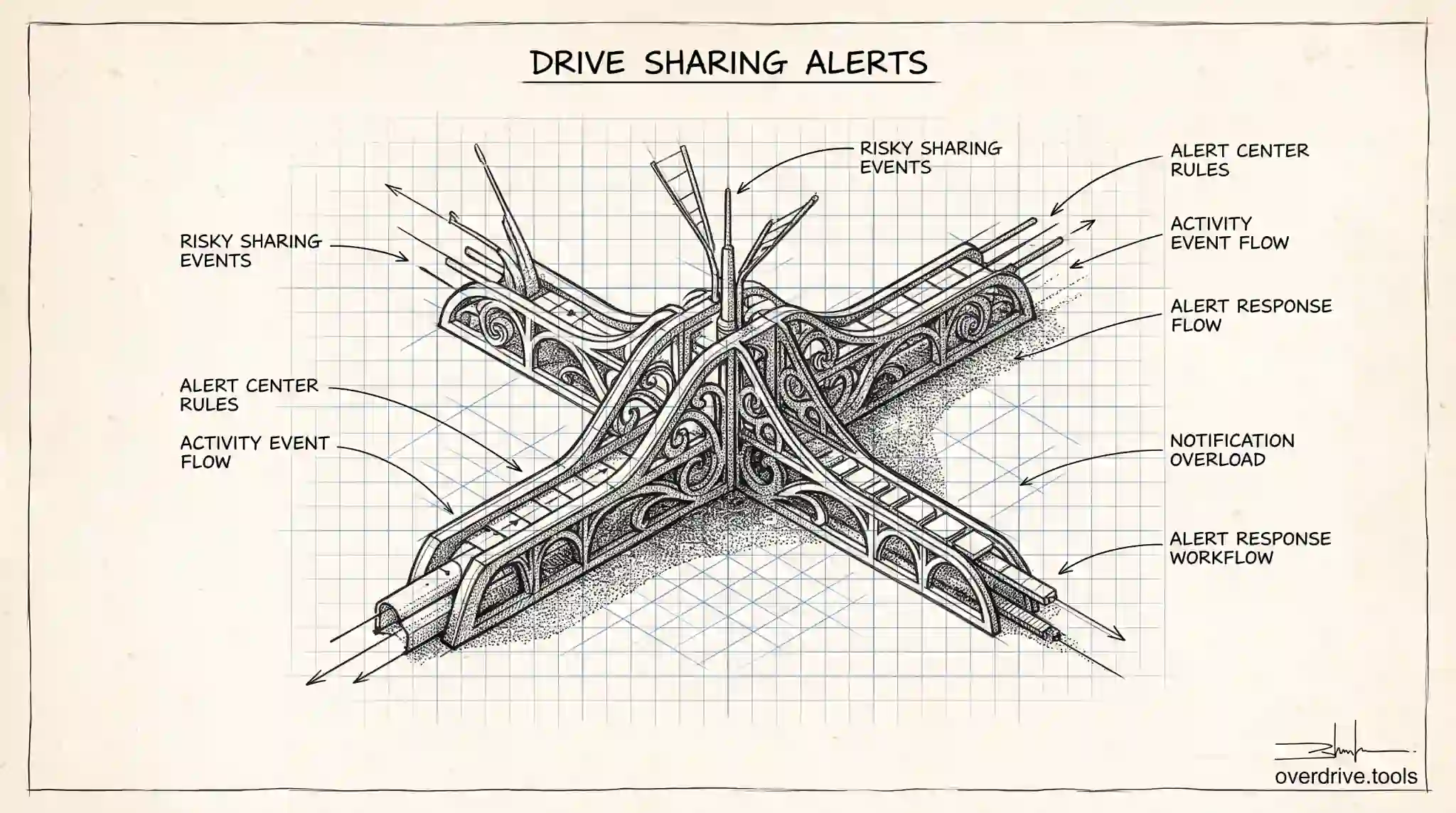
Google Workspace surfaces admin alerts through a few connected systems. The Alert Center is the central place where security and activity alerts appear, and it can notify admins about various events across the domain. Alongside it, admins can create custom alerts based on activity in the audit and investigation logs, including Drive activity, so that specific kinds of events generate a notification.
For Drive sharing specifically, the relevant signals come from Drive audit events, which record actions like a file being shared, a link being created, external sharing occurring, and permissions changing. By defining a rule that watches for a particular event pattern, such as a file being shared externally or made accessible via link, you can have Workspace notify you when it happens. Higher editions offer more sophisticated detection and investigation capabilities, while more basic plans expose a narrower set of signals.
The result is a system that can, in principle, tell you when sharing crosses a line you care about, based on the events Drive logs.
Setting up sharing alerts
The setup lives in the security area of the Admin console, across the reporting or audit and investigation tools and the Alert Center. The general approach is to decide which sharing events matter, create a rule that watches for them, and route the resulting alert to the right admins.
Start by defining the risky events you genuinely want to hear about. External sharing of files and broad "anyone with the link" sharing are the usual priorities, since they represent the highest exposure. Create alerting rules keyed to those events using the activity data available on your edition, and set the notification to reach the admins who will actually act on it.
The discipline that makes this work is being selective. It's tempting to alert on all sharing activity, but in an active organization that produces a flood of notifications, most of them ordinary and legitimate, and a flooded inbox gets ignored within a week. Alert on the events that represent real risk, tune the conditions to cut routine noise, and treat a good alert as one that a human will read and respond to, not one that fires constantly. Fewer, sharper alerts protect you better than many vague ones.
Route and document the response, too. An alert is only useful if someone owns it and knows what to do when it arrives, so decide in advance who receives which alerts and what the response is, rather than leaving a notification to land in a shared inbox nobody watches.
The limits of event-based alerting
Here's the honest constraint. Alerts are built on events, which means they tell you about the moment something happened, one notification at a time, in a stream. That's genuinely valuable for catching a specific risky action as it occurs. But a stream of point-in-time events is not the same as a clear, current picture of your overall exposure.
Reconstructing the present state of your Drive sharing from a history of individual events is slow and never quite complete. Events can be missed, deprioritized, or lost in volume. An alert tells you a file was shared externally last Tuesday, but it doesn't easily tell you how many files are shared externally right now, which have been exposed the longest, or which ones matter most. And alerts only cover the period since you set them up, so everything shared before your rules existed generates no notification at all.
In other words, event alerts answer "what just happened" far better than they answer "what is our exposure." Both questions matter, and relying on alerts alone leaves the second one unanswered.
Pairing alerts with a present-tense view
The complement to event-based alerting is a continuous, current inventory of exposure, and that's exactly the gap Google's native alerting leaves. Overdrive for Google Workspace connects with read-only access and turns Google's sharing signals into a present-tense, prioritized list of what's exposed right now, which files are public or shared externally, how long they've been that way, and who owns them, rather than a stream of individual events to reconstruct. Because it watches continuously from the day you connect, new public shares surface as they happen, and it also shows the standing exposure that predates any alert rule you set. It reads metadata only, never file contents.
Used together, the two cover both questions that matter. Alerts tell you about specific risky actions the moment they occur, and a present-tense inventory tells you the overall exposure those actions add up to, including everything that happened before you started watching. That combination is what makes Drive sharing genuinely observable rather than something you sample through notifications.
Which sharing events are worth alerting on
Not every sharing event deserves a notification, and choosing well is what keeps alerts useful. The events worth alerting on are the ones that represent genuine, high-impact exposure. External sharing of files, especially to unfamiliar domains, is near the top, since it moves data outside the organization. Broad link sharing, where a file is set so anyone with the link can open it, is another, because it's the classic route to accidental oversharing. Permission changes on sensitive shared drives, and files being made public, round out the short list of events that usually justify a real-time alert.
What's generally not worth a dedicated alert is routine internal sharing, since in an active organization that produces constant, legitimate activity that would bury the signals you care about. The aim is a small set of alerts on genuinely risky events, each of which a human will actually read and act on, rather than a firehose that gets filtered to the trash within a week.
Building a response workflow
An alert with no response behind it is just noise, so the workflow matters as much as the rule. For each alert you create, decide in advance who receives it and what they do when it arrives. A good response usually starts with a quick triage: is this expected and fine, expected but worth noting, or genuinely wrong and needing action such as revoking access or contacting the user.
Route alerts to a named owner or a monitored queue rather than a shared inbox nobody watches, and keep a lightweight record of what was done, so patterns become visible over time. If the same kind of risky share keeps triggering alerts, that's a signal to fix the underlying setting or educate a team, not just to keep responding to symptoms. Alerts tell you something happened; a response workflow is what turns that signal into actually reduced risk rather than a log of things you noticed and moved past.
That distinction is the whole reason to be selective and deliberate. A handful of sharp alerts feeding a real response process will catch and close genuine exposure, while a flood of undifferentiated notifications produces the illusion of monitoring without any of the protection. The organizations that get real value from Drive alerts are the ones that treat each alert as a commitment to respond, not just a message to receive, and that size their alerting to what they can actually act on.
The short version
Google Workspace can alert admins to risky Drive sharing through the Alert Center and custom rules built on Drive audit events, letting you get notified when files are shared externally or by link. Set alerts up by choosing the genuinely risky events, keeping rules selective to avoid notification fatigue, and assigning someone to act on each alert. Remember that event-based alerts are strong at telling you what just happened but weak at showing your current, overall exposure, and they don't cover anything shared before they existed, so pair them with a continuous, present-tense inventory of what's actually exposed across your Drive.
Related Articles
- What Google Workspace's Audit Log Shows About Drive Activity (and What It Doesn't)
- How to Find Every Publicly Shared File in Your Google Workspace
- Auditing Third-Party App Access in Google Workspace (Drive & Gmail)