How to Set Up DLP Rules for Google Drive
DLP rules for Google Drive automatically detect and block sensitive data from being shared. Here's how admins set them up, and which editions include DLP.
Overdrive Team//7 min read
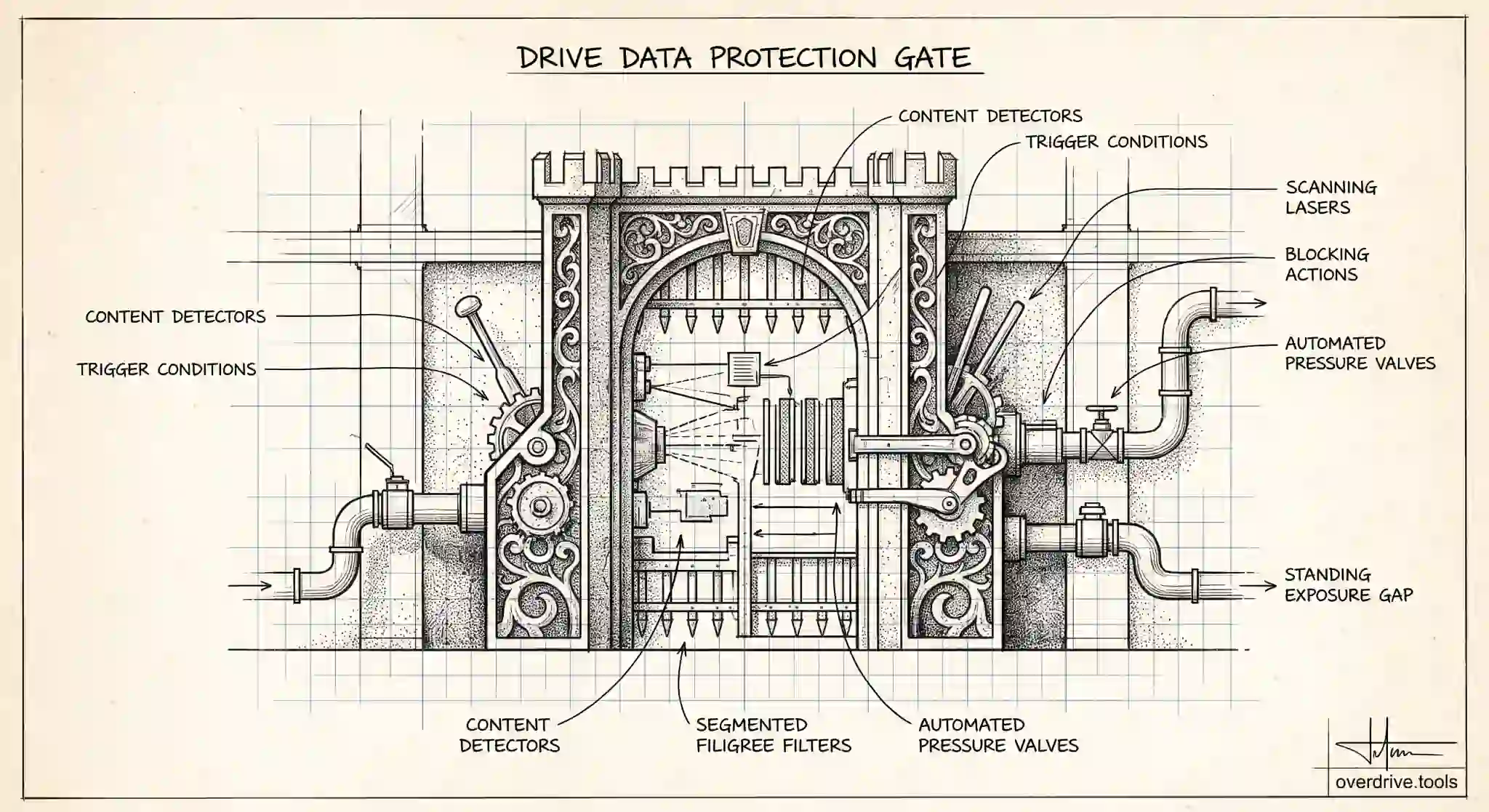
Data loss prevention, or DLP, rules for Google Drive let you automatically detect sensitive information in files and control what happens when someone tries to share it. Instead of relying on every employee to remember not to share a document full of credit card numbers or personal data externally, a DLP rule scans content, matches it against conditions you define, and takes an action such as blocking the share or warning the user. For organizations that handle regulated or confidential data, it turns a hope into a control.
DLP is powerful but it comes with two important caveats: it's only available on certain Google Workspace editions, and it needs to be configured thoughtfully to be useful rather than annoying. Here's how it works, which editions include it, and how to set up rules that actually protect data without drowning your users in false alarms.
Which editions include DLP for Drive
Before planning anything, confirm you have it. DLP for Drive is not part of every Workspace edition. It's included in Enterprise Standard and Enterprise Plus, in the Education editions including Education Fundamentals, Education Standard, and Education Plus, in Frontline Standard and Frontline Plus, and in Enterprise Essentials Plus.
If you're on a Business edition such as Business Starter, Standard, or Plus, full DLP for Drive generally isn't available, which is a common surprise for admins who assume a security feature this fundamental is universal. If your organization needs DLP and you're on a Business plan, the path is an upgrade to a qualifying edition. It's worth verifying your current edition's capabilities in the Admin console before designing rules you may not be able to deploy.
How DLP for Drive works
A DLP rule has three parts: what to look for, where it applies, and what to do about it. Understanding this structure makes the setup straightforward.
First, the detector defines the sensitive content. Google provides predefined detectors for common data types such as credit card numbers, national identifiers, and other regulated formats, and you can also build custom detectors using keywords, patterns, or your own criteria to match the specific data your organization cares about. The detector is what turns "sensitive" from a vague idea into something the system can actually recognize inside a file.
Second, the scope and trigger define where and when the rule runs, for example when a file is shared outside the organization, or shared with anyone via link. This is what ties detection to the risky moment you actually want to control.
Third, the action defines the response. A rule can block the sharing action outright, warn the user and let them proceed with a justification, or simply log the event for audit without interfering. Choosing the right action per rule is the difference between protection that helps and protection that gets in the way.
Setting up your first rules
The setup happens in the Admin console under the security and data protection area, where you create DLP for Drive rules. A sensible approach is to start narrow and expand, rather than switching on aggressive blocking across everything at once.
Begin with your highest-risk data and your clearest scenario. A strong first rule is often something like: detect a specific, well-defined sensitive data type, and when a file containing it is shared externally, block the share. Narrow scope and a precise detector keep false positives low, which matters enormously for adoption, because a rule that constantly blocks legitimate work trains people to resent and route around the system.
Run new rules in a monitoring or warning mode first where possible, so you can see what they would catch before they start blocking. This audit period reveals how often the rule fires, whether it's catching real exposure or ordinary work, and where the detector needs tuning. Once you're confident it's accurate, tighten the action to blocking. Expanding from a few well-tuned rules is far more effective than launching a broad, untested policy that generates noise from day one.
Where DLP stops, and what complements it
DLP is a strong preventive control, but it has boundaries worth understanding. It acts at the moment of sharing based on content it can detect, which means it depends on your detectors matching the data and on the rule scope covering the scenario. It's forward-looking by design: it governs new sharing actions, but it doesn't retroactively find and fix the sensitive files that were already shared broadly before the rule existed, or files that are exposed for reasons unrelated to detectable content, such as a folder simply set to "anyone with the link."
That gap between what DLP prevents going forward and what's already exposed is where a visibility layer complements it. Overdrive for Google Workspace connects with read-only access and turns Google's sharing signals into a present-tense inventory of what's actually exposed across your Drive, which files are public or shared externally, how long they've been that way, and who owns them. So while DLP stops new sensitive shares at the moment they happen, this shows you the standing exposure DLP was never going to catch, letting you clean up the backlog and prioritize the files that matter most. It reads metadata only, never file contents.
Used together, DLP handles the flow of new sharing and continuous visibility handles the stock of existing exposure, which is the combination that actually reduces risk rather than just guarding the front door.
Common DLP rules to start with
If you're not sure where to begin, a few rules cover the most common exposure and make good first deployments. A rule that detects a well-defined regulated data type, such as payment card numbers or a national identifier, and blocks external sharing of files containing it, addresses one of the clearest risks. A rule that warns users when they share files containing sensitive keywords externally, letting them proceed with a justification, catches mistakes without hard-blocking legitimate work. And a rule that simply logs when defined sensitive content is shared broadly gives you visibility while you learn your environment.
Start with the data types your organization is actually obligated to protect, rather than trying to cover everything at once. A small set of precise rules on your highest-risk data protects more, in practice, than a sprawling policy that fires constantly and gets ignored.
Tuning to reduce false positives
The biggest threat to a DLP deployment isn't missed detections, it's false positives, because a rule that constantly blocks normal work trains people to resent and evade the system. Tuning is therefore not optional polish, it's what makes DLP survivable.
Run new rules in a monitoring or warning mode first, so you can see what they would catch before they start blocking. Review the incidents that fire during this period: are they real exposure, or ordinary business documents that happen to match a loose detector? Tighten detectors that over-match, narrow scopes that are too broad, and add exceptions for legitimate workflows a rule shouldn't interfere with. Only once a rule is firing accurately should you move it from warning to blocking.
Treat tuning as ongoing rather than one-time. As the organization's data and workflows change, detectors drift out of alignment, so periodically revisiting which rules fire, how often, and whether they're catching real risk keeps the policy both effective and tolerable. A DLP system people trust to be accurate is one they'll work with; one that cries wolf is one they'll route around.
That trust is the real asset a DLP program builds over time. The first few well-chosen rules matter less for the specific data they catch than for establishing that the system is accurate and worth respecting. Once people believe a DLP warning means something, the occasional block lands as a helpful catch rather than an obstacle, and the whole program becomes something the organization leans on instead of resents. Reaching that point is worth far more than rushing to cover every data type on day one. Protection people believe in is protection that lasts, and that belief is built one accurate rule at a time.
The short version
DLP rules for Google Drive automatically detect sensitive content and control what happens when it's shared, using detectors for what to find, scopes for when to act, and actions like block, warn, or log. It's available on Enterprise, Education, Frontline Standard and Plus, and Enterprise Essentials Plus editions, not standard Business plans, so confirm your edition first. Start with narrow, well-tuned rules on your highest-risk data, run them in warning mode before blocking, and pair DLP's forward-looking prevention with continuous visibility into the exposure that already exists, since DLP guards new shares but won't clean up the ones already out there.
Related Articles
- Managing External Sharing in Google Workspace: An Admin's Guide
- How to Find Every Publicly Shared File in Your Google Workspace
- The Google Workspace Drive Security Audit: A Recurring Checklist for Admins