What Happens When You Delete a Shared Google Drive File?
Whether deleting a shared Google Drive file affects others depends entirely on who owns it. Here's exactly what happens in each scenario.
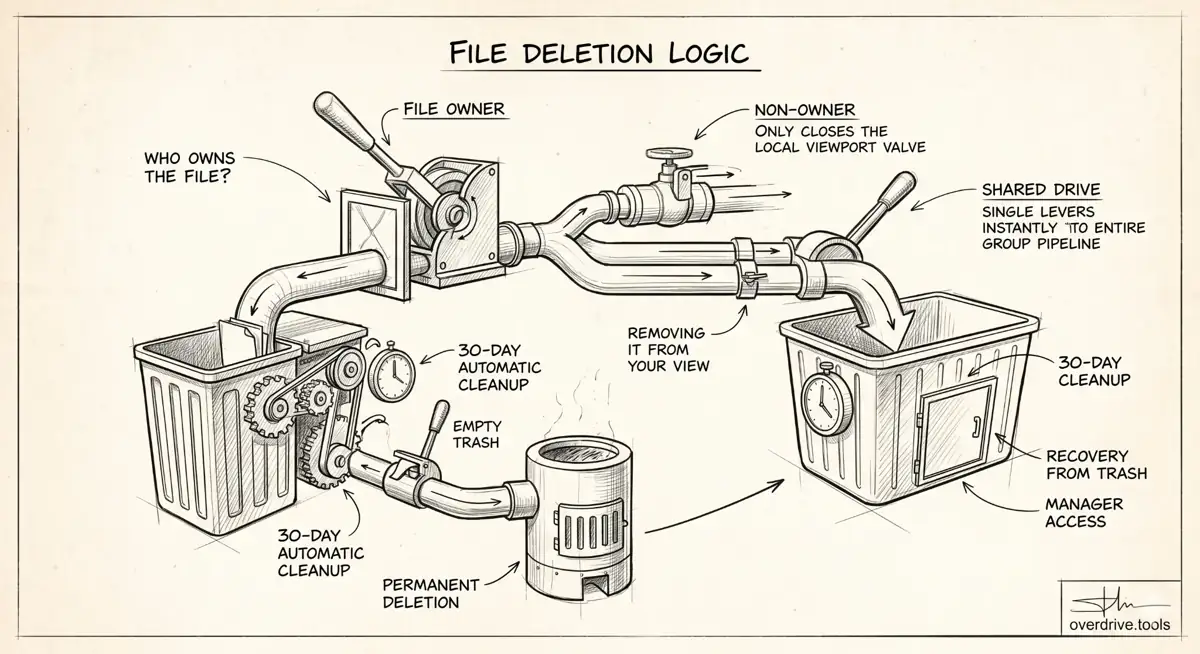
Whether deleting a shared Google Drive file affects everyone who has access — or just you — depends on one thing: who owns the file.
Google Drive draws a clear line between the file owner and everyone else. The answer to "will this delete it for everyone?" is almost always determined by which side of that line you're on.
If You Own the File
When you delete a file you own, it moves to your Trash. It stays there until you empty your Trash or the 30-day automatic cleanup removes it permanently.
During those 30 days, everyone who had access loses access immediately — even before the file is permanently deleted. The moment the file moves to your Trash, collaborators who try to open it will see an error.
If you restore the file from Trash before it's permanently deleted, everyone's access is restored and the file reappears as if nothing happened.
Once the file is permanently deleted (either by you manually emptying Trash, or after 30 days), it's gone for everyone. There is no recovery after permanent deletion unless your organization uses Google Vault or a third-party backup.
If You Don't Own the File
When someone else owns a shared file and you delete it from your Drive, you are only removing it from your view. The file itself is not affected. The owner and all other collaborators still have full access.
What actually happens:
- The file disappears from your "Shared with me" section and any folder shortcuts you may have added it to
- Your access permission is removed
- The file continues to exist in the owner's Drive, unchanged
This is a common source of confusion. Hitting Delete on a shared file when you're not the owner feels like deleting it — but it's really just removing yourself from the share.
If You're Deleting From a Shared Drive
Shared Drives (formerly Team Drives) work differently from personal Drive. Files in a Shared Drive belong to the organization, not to individual users.
When a file is deleted from a Shared Drive:
- Users with Contributor access or above can move files to Trash
- The file stays in the Shared Drive's Trash for 30 days
- During that time, anyone with Manager access can restore it
- After 30 days, it's permanently deleted for the entire organization
In a Shared Drive, a single person deleting a file has broader consequences than in a personal Drive — it affects everyone in the Shared Drive immediately.
What to Do Before Deleting a Shared File You Own
If you're the owner and need to delete a file that others are actively using:
- Notify collaborators first. They lose access the moment the file moves to Trash.
- Consider transferring ownership if someone else should keep the file.
- Download a copy if you may need the content later.
- Check if the file is inside a shared folder. Deleting a file inside a shared folder removes it from that folder for everyone — the file goes to your Trash, not theirs, but they lose access to it in the shared folder.
Transferring Ownership vs. Deleting
If you want to stop having a file in your Drive but don't want to cut off access for others, the cleaner move is to transfer ownership to someone else rather than deleting. Once ownership is transferred, the file lives in their Drive and your deletion no longer affects it.
Related Articles
- What Happens to Shared Files When You Delete Your Google Account
- Google Drive Permissions: How to Review and Remove Access
- How to Bulk Remove Sharing Permissions in Google Drive