Google Photos Storage: What Shares With Drive
Google Photos, Drive, and Gmail share one pool: 5 GB free by default, up to 15 GB with a phone number. Here's exactly what counts in Photos.
Overdrive Team//6 min read
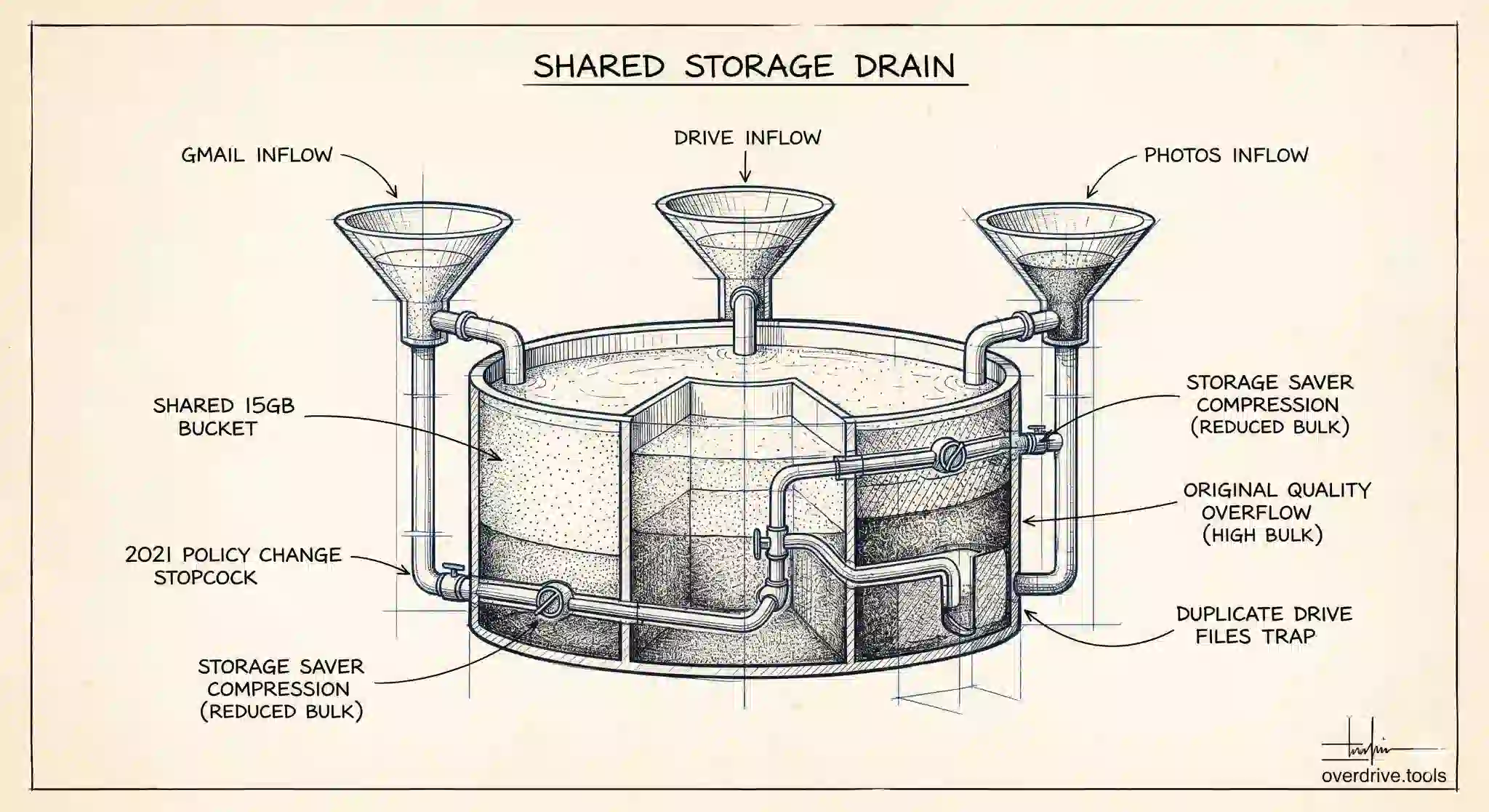
Google Photos, Google Drive, and Gmail don't each get their own storage allowance. They all draw from the same single pool. If your photos have grown to fill 10 GB, that's 10 GB taken directly from what your Drive files and emails can use. Most people don't realize this until a storage warning appears when they've uploaded very little to Drive directly.
Here's how Google Photos uses that shared storage — including the 2021 policy change that removed what used to be unlimited photo backup for most users.
The Shared Storage Pool
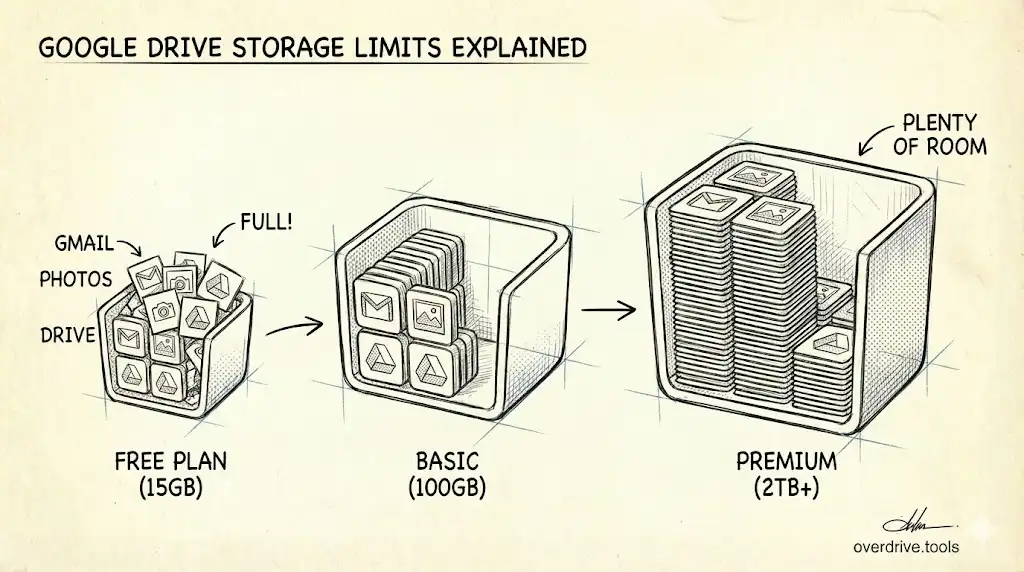
Every Google Account includes free storage, 5 GB by default since May 2026, or up to 15 GB once a phone number is verified on the account, distributed across Gmail, Google Drive, and Google Photos combined. There's no way to allocate more to one service at the expense of another — the three services share a single bucket, and whatever one uses is unavailable to the others.
Buying more storage through Google One expands that shared pool. A 100 GB Google One plan gives you 100 GB total across all three services, not 100 GB each.
What Google Photos Counts Against Your Storage
Not all photos in Google Photos count the same way, and the rules changed significantly in June 2021.
Before June 1, 2021: Photos backed up in "High quality" (now called "Storage saver") did not count toward your storage quota at all. Google offered unlimited storage for compressed photos and videos under this setting. Many users accumulated years of photos without touching their storage limit because of this.
After June 1, 2021: All new photos and videos uploaded to Google Photos count toward your quota, regardless of which backup quality setting you use. The only exception is photos that were already backed up in High quality before that date — those remain free.
In practical terms: if you've been using Google Photos for years, your older photos may not be taking up storage, but everything added after mid-2021 is. If you switched to Google Photos recently, everything you've uploaded counts.
Storage Saver vs. Original Quality Today
Google Photos still offers two backup quality settings, and they do still affect how much storage your photos use — just not whether they count.
Storage saver (formerly High quality) compresses photos slightly and caps videos at 1080p. A compressed photo typically takes 3–5 MB instead of 10–20 MB for a high-resolution original. For most people, the visual difference is unnoticeable.
Original quality stores photos and videos at their full resolution with no compression. DSLR shots, RAW files, and 4K videos can run into tens of megabytes or gigabytes per file. If you shoot on a high-end camera or use your phone's maximum resolution, this setting consumes storage significantly faster.
Switching from Original to Storage saver won't reduce existing photos already stored — it only affects new uploads. Google does offer a one-time conversion to Storage saver for previously uploaded originals, accessible from the Google Photos settings under "Manage storage."
What Doesn't Count in Google Photos
A few categories are excluded from your storage quota.
Photos shared with you in shared albums don't count against your storage. Only the owner of the original photo bears the storage cost. If someone shares a large album with you and you save photos from it, those saved copies do count.
Certain Pixel phone models include free Google Photos storage as a hardware perk. Pixel 1 through Pixel 5 owners received unlimited free Original quality storage for photos taken on those phones. Pixel 6 and later receive free unlimited Storage saver uploads for photos taken on-device.
How Google Photos and Google Drive Relate to Each Other
Google Photos and Google Drive are separate products, but they overlap in one area: photos and videos stored in Drive don't automatically appear in Google Photos, and vice versa (since 2019, when Google separated them).
If you store photos in Drive folders, they're counted in your Drive storage quota. If those same photos are backed up in Google Photos separately, they're counted twice — once for Drive, once for Photos. Duplicate storage like this is one of the less obvious ways a storage quota fills up faster than expected.
If you're trying to understand where all your storage is going across Drive and Photos, Overdrive can show you a complete breakdown of your Drive storage by file type and size — useful for identifying large media files that may be duplicated between services.
How to Check How Much Google Photos Is Using
The clearest breakdown of storage by service is at one.google.com/storage. This page shows your total quota, how much is used overall, and how it breaks down across Drive, Gmail, and Photos. If Photos is consuming the majority of your storage, that's the first place you'll see it.
Within Google Photos itself, the storage manager at photos.google.com/quota shows a more detailed breakdown — large photos, large videos, blurry photos, and screenshots — along with an estimate of how many months your current storage will last at your current upload rate. That estimate factors in your recent upload behavior and is usually more revealing than the total number.
How to Reduce Google Photos Storage Usage
There are a few practical approaches depending on your situation.
Switch to Storage Saver quality. For new uploads, go to Google Photos settings and change the backup quality to Storage saver. Photos will be compressed slightly — typically saving 50–75% of the size of originals — with minimal visible quality loss for most viewing purposes. This doesn't affect already-uploaded photos.
Convert existing originals to Storage Saver. If you previously uploaded in Original quality, Google Photos offers a one-time batch conversion under Settings > Manage storage > Recover storage. This compresses all your existing originals to Storage Saver quality. The change is permanent, so make sure you have backups if you need original-resolution copies.
Delete photos you don't need. Screenshots, duplicate shots from burst mode, blurry photos, and videos from years ago are common candidates. The Google Photos storage manager groups these categories automatically to make bulk review easier. Deleted photos go to a Photos Trash and are permanently removed after 60 days, or immediately if you empty Photos Trash manually.
Export and remove old archives. If you want to keep a library of photos but move them off Google's servers, use Google Takeout to download your Photos library in batches. Once you've confirmed the download is complete and backed up locally, you can delete those photos from Google Photos to reclaim storage.
When Photos Becomes the Dominant Storage User
For most active smartphone users who've been on Google Photos since before 2021 and haven't checked their settings since, Photos is likely their largest storage consumer. Years of backup in Original quality, or post-2021 backups in either setting, add up quickly.
A useful starting point is visiting photos.google.com/settings and checking the storage estimate there, which shows how long your current Google One plan will last at your current upload rate. That estimate is often sobering.
Frequently Asked Questions
If I delete a photo from Google Photos, does it delete from my phone? It depends on your backup settings. If you've enabled backup and sync and the photo was already backed up, deleting from Google Photos gives you the option to also delete it from your device — but it doesn't happen automatically. If you're managing storage and want to remove the Google Photos copy only, choose to delete from Google Photos without deleting from your device.
Does sharing a photo to someone else count against my storage? The original photo in your library counts against your storage quota when it was uploaded. Sharing it — whether as a direct share, in an album, or via a link — does not create a second copy that uses additional storage. The recipient seeing or saving the photo doesn't affect your quota.
Will buying a Google One plan retroactively save photos I lost due to storage limits? If you ran out of storage and Google stopped accepting new photo backups, upgrading your plan resumes backups going forward. Photos that were taken while backups were paused and weren't uploaded will need to be backed up manually. Photos that were already in your library before you hit the limit are unaffected — hitting a storage limit pauses new uploads, it doesn't delete existing content.
Does Google compress photos without telling me? Only if you have Storage Saver selected. Original quality uploads are stored without compression. If you're unsure which setting you're on, check under Google Photos > Settings > Backup quality. The current setting is shown there clearly.
Related Articles
- How Gmail Is Using Your Google Drive Storage
- Google Drive Storage Limit Explained: Free, Paid Plans & What Counts
- Google Drive Storage Full? Here's Why (and How to Fix It)