Can People See My Google Drive?
By default, your Google Drive is private. But certain sharing settings can expose files without you realizing. Here's what's actually visible — and to whom.
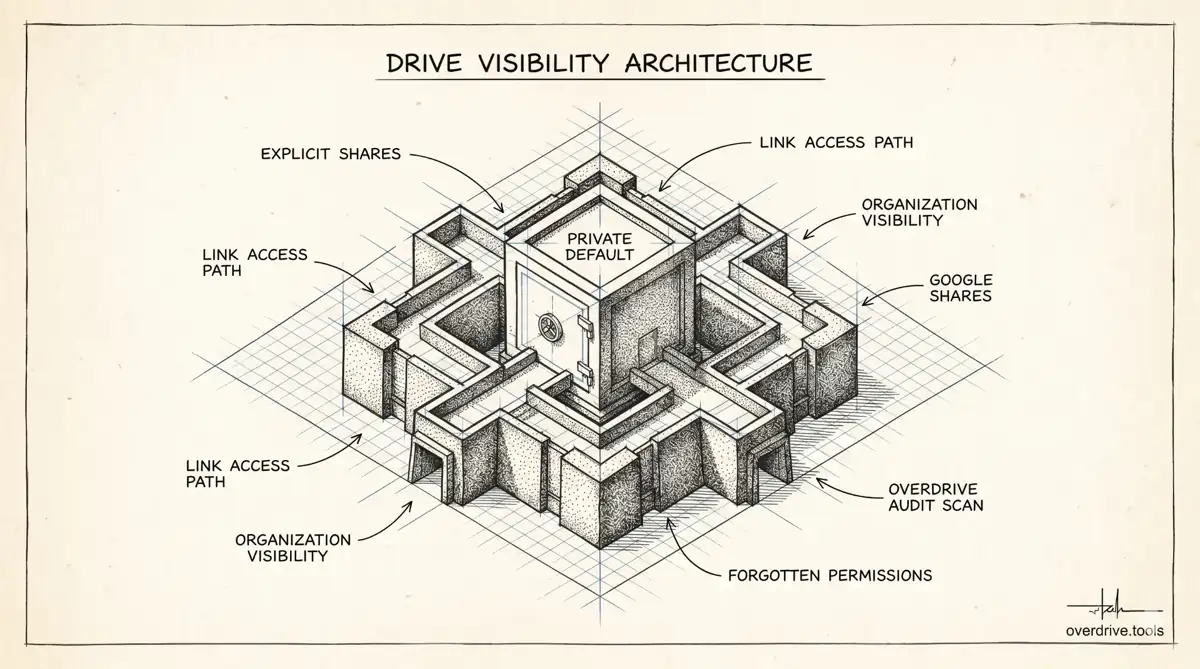
The short answer is no — not by default. Google Drive is private. When you create or upload a file, it's only visible to you unless you deliberately share it.
But that's not the full picture. Over time, most people accumulate a mix of sharing settings across their files without necessarily keeping track: a folder shared with a team, a document set to "anyone with the link," an old project file still accessible to an ex-colleague. None of that is visible to random strangers, but it may be visible to more people than you intended.
Who Can Actually See Your Google Drive Files
Only you, by default
A file you create or upload to Google Drive is visible only to you until you share it. There's no way for another Google user to browse or search your Drive — even with your email address. Google Drive is not a public file system.
People you've explicitly shared with
Anyone you've added to a file or folder — by entering their email address in the sharing dialog — can see that file. They may be able to view, comment, or edit depending on the access level you gave them.
Anyone with the link (if you've used that setting)
If you've shared a file using the "anyone with the link" setting, anyone who has that URL can open the file — without logging in, without a Google account, without you knowing. The file isn't publicly searchable, but it's accessible to anyone the link reaches, including anyone it gets forwarded to.
This is the most common way files end up visible to more people than intended. A quick share to a client or colleague, left on "anyone with the link" and never changed back, stays open indefinitely.
Your Google Workspace organization (if applicable)
If you're on a Google Workspace account — a work or school account — your organization may have sharing settings that make files visible to anyone within the organization by default. A file shared with "anyone in [organization] with the link" is accessible to all colleagues, even if you meant it only for one person. Check with your admin or review the General Access setting on your files to confirm.
What People Cannot See
- Your Drive as a whole. There's no way to browse someone's Drive by knowing their email. Files are only accessible via direct share or link.
- Files you haven't shared. Unshared files are completely private — no exceptions.
- Who else you've shared with. Collaborators on a file can see the file, but they can't see the full list of your shared files elsewhere in your Drive.
How to Check What You've Actually Shared
If you're not sure what's visible and to whom, here are your options:
Option 1: Audit your entire Drive with Overdrive
Overdrive scans your Google Drive and gives you a complete view of all files with active sharing permissions — including files shared with specific people, files set to "anyone with the link," and files shared with your whole organization. It's the fastest way to go from "I'm not sure" to knowing exactly what's exposed.
Option 2: Check individual files manually
For any specific file:
- Right-click the file in Google Drive
- Click Share
- The sharing panel shows everyone with access and the current General Access setting
- If General Access is set to "Anyone with the link" — change it to Restricted to close it
Option 3: Search for shared files in Google Drive
In Google Drive, files you've shared often show a small person icon next to the filename in list view. You can also filter by "Shared by me" using the search filters, though this view isn't always complete.
The Most Common Ways Files Accidentally Become Visible
Forgetting to change back from "anyone with the link." This is far and away the most common scenario. A quick share for convenience, never reverted.
Sharing a folder, not realizing everything inside is also shared. When you share a folder, every file currently in it — and every file added to it later — inherits those permissions automatically.
Leaving former colleagues with access. When someone leaves a project, a job, or a collaboration, their access to shared files doesn't expire on its own. Unless you remove it, they can still open those files.
The Bottom Line
Your Google Drive isn't visible to the public or to random Google users. But it's worth knowing what you've shared — because sharing settings don't expire, and it's easy to lose track of them over time.
Related Articles
- How to Remove "Anyone With the Link" in Google Drive
- Google Drive Permissions: How to Review and Remove Access
- Who Has Access to Your Google Drive? Here's How to Find Out