How to Find and Reclaim Unused Google Workspace Licenses
Inactive accounts keep costing you a full license until someone notices. Here's how admins find them, and what to check before freeing one up.
Overdrive Team//7 min read
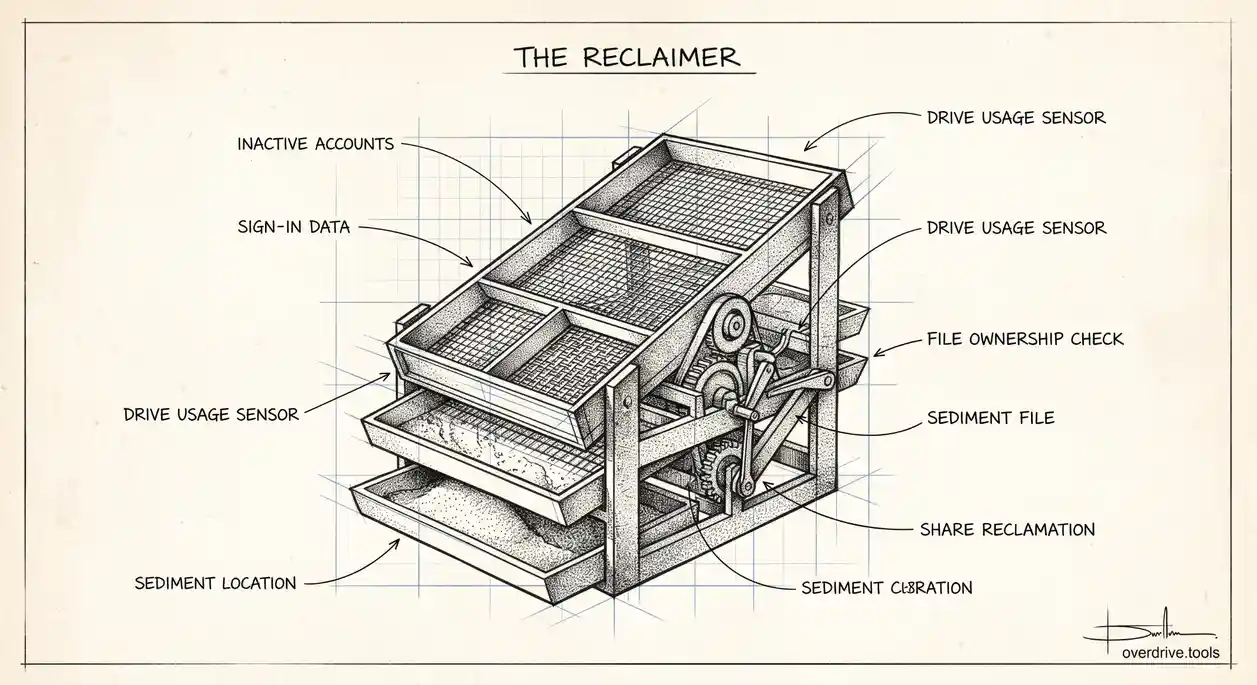
A Google Workspace license doesn't stop billing itself just because the person using it stopped logging in. An account that hasn't signed in for four months, hasn't touched Drive, and hasn't sent an email still counts as an active seat on most billing plans, quietly costing the same as everyone actively working. Multiply that by however many contractors, seasonal hires, and departed employees your organization has cycled through in the past year, and the unused-license number is usually bigger than admins expect the first time they actually check.
Finding the Accounts Worth Reclaiming
There's no single "inactive" flag in the Admin console, but there are enough signals to build a reliable picture. Last sign-in date is the most obvious one, visible on each user's account page under Directory > Users. Beyond that, Drive activity and recent file edits, Gmail usage, and whether the account has any recent login events at all round out the picture. Most teams settle on a threshold, commonly 45, 60, or 90 days without any sign-in or app activity, to define what counts as inactive for their organization. The right threshold depends on your business: a company with a lot of seasonal or project-based contractors will want a shorter window than one with a stable full-time staff who occasionally take extended leave.
Run this check on a schedule rather than only when someone flags a billing concern. A quarterly pass through Directory > Users, sorted or filtered by last sign-in, takes a fraction of the time it takes to unwind months of accumulated unused seats after the fact.
What to Check Before Freeing a License
This is the step that gets skipped, and it's the one that actually matters. Deleting or suspending an account to free its license doesn't just remove a person from your directory, it also affects every file that account owns and every share that account created. Before reclaiming a license:
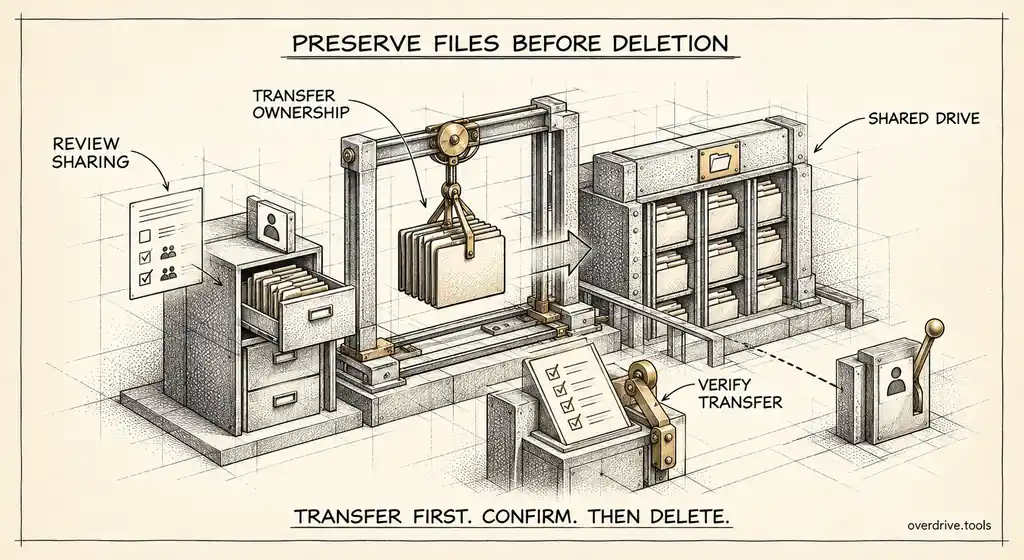
- Check what the account owns. Files owned by that user don't disappear when the account is suspended, but if the account is later deleted, ownership needs to go somewhere first. Transfer ownership of anything the organization still needs to a manager or a shared drive.
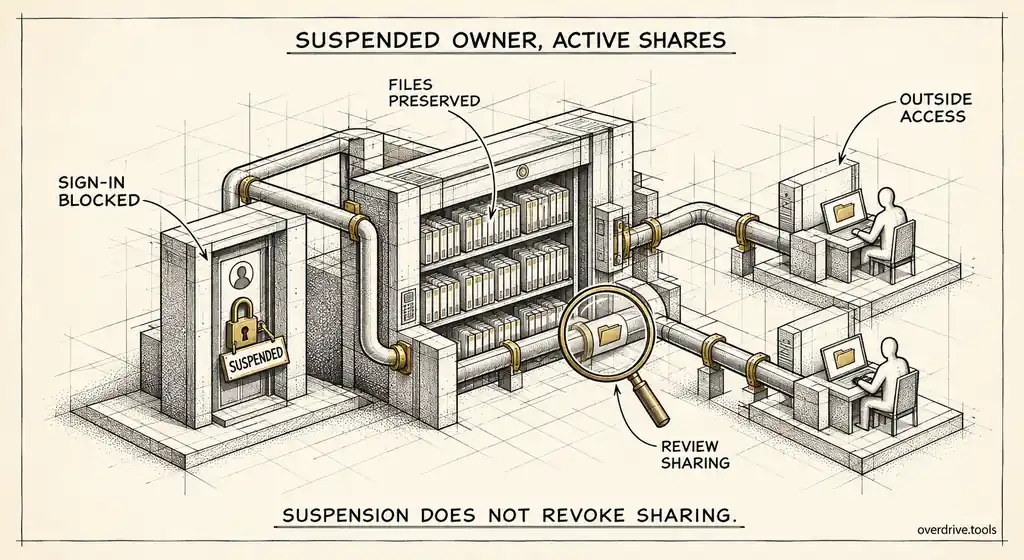
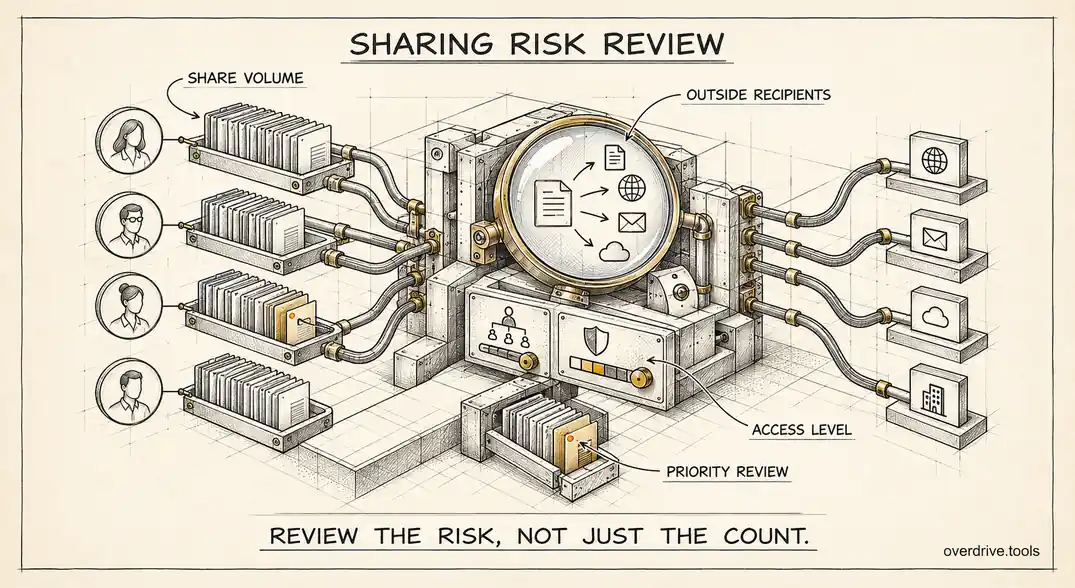
- Check what the account has shared. A suspended or deleted user's active shares with other people don't automatically get cleaned up. If that account had broad sharing set up, other users may retain access to files they shouldn't, long after the person who set it up is gone.
- Confirm the account isn't a service account or app-connected identity in disguise. Occasionally an "inactive" human account is actually being used to authenticate an integration or script. Deleting it breaks whatever depends on it, quietly, until something fails days later.
Reclaiming the License
Option 1: Check Drive ownership and sharing before you touch anything
Because the biggest risk in this process isn't the license itself but what the account still owns and shares, it's worth having real visibility into that before suspending or deleting anything. Overdrive can show exactly what a given account owns and what it's still sharing across the Drive, so instead of reclaiming a license and hoping nothing breaks, you can confirm ownership has been handled and shares have been cleaned up first.
Option 2: Work through the Admin console directly
To reduce the license count itself, go to Directory > Users, select the account or accounts in question, click More, and choose to remove or reassign their license. On Flexible billing plans, simply deleting the user reduces your license count by one automatically; there's no separate step. On Annual plans, removing a license doesn't lower your bill until the next renewal, but it does stop the seat from being available for reassignment to someone who might need it sooner. If you're not ready to fully delete the account, downgrading it to a Cloud Identity or Archived User license preserves access to its data for compliance or legal hold purposes without continuing to bill it as a full Workspace seat.
Building This Into a Regular Habit
The organizations that don't accumulate a backlog of unused licenses tend to treat license reclamation as a step within offboarding, not a separate project that happens once a year when finance asks about the bill. Whenever an employee or contractor leaves, the same checklist applies every time: confirm what they owned, transfer or archive it, clean up their active shares, then reclaim the license. Doing this consistently at the point of departure means the quarterly audit becomes a check for anything that slipped through, rather than the primary mechanism for catching everything.
It's also worth periodically reviewing accounts that were never formally offboarded through an HR process at all, seasonal contractors, short-term consultants, or accounts created for a project that quietly wrapped up. These tend to be where the largest number of forgotten licenses accumulate, precisely because there was no formal departure event to trigger a review.
What Unused Licenses Actually Cost Over a Year
The math is easy to underestimate because each individual license feels small next to the overall budget. An organization with 150 seats where 10 percent sit inactive at any given time, a conservative estimate for companies with regular contractor turnover or seasonal hiring, is paying for 15 seats nobody's using. Over a full year, that's not a rounding error; it's often enough to cover an additional full-time license, a security tool, or a chunk of a training budget, depending entirely on your per-seat pricing. Running this calculation once, using your actual seat count and a realistic inactivity estimate rather than an optimistic one, tends to be the moment license reclamation stops being a someday task and starts being a scheduled one.
Automating Detection Instead of Relying on Memory
Manually checking last-sign-in dates for every user every quarter works for a small organization but becomes tedious past a certain headcount. Google Workspace supports automated alerts and reporting rules that can flag accounts crossing an inactivity threshold without requiring a manual review each time. Setting up a recurring report, even something as simple as a scheduled export of last-sign-in data sorted by date, removes the dependency on someone remembering to check, which is where this process most often breaks down in practice.
Frequently Asked Questions
What happens to a suspended account's Gmail and calendar, not just Drive?
Suspension pauses access to everything under that account, including Gmail and Calendar, without deleting the underlying data. This is different from deletion, which is why suspension is usually the safer intermediate step before a full account deletion, giving you a window to confirm nothing important was missed before the data becomes harder to recover.
Can a suspended account still be billed as an active license?
This depends on your plan type. Suspension alone doesn't always reduce your license count the way deletion does on Flexible plans; check your specific billing configuration, since some organizations suspend accounts for security reasons while still paying for the license until a formal reclamation step happens separately.
How long should an account stay suspended before being deleted?
There's no universal answer, but many organizations use a 30 to 90 day suspension window before deletion, giving enough time to confirm ownership transfers were complete and nothing was missed, while not indefinitely paying for archived-user tiers on accounts that clearly aren't coming back.
Is there a risk in reclaiming a license too quickly after someone leaves?
Yes. Rushing straight to deletion without first confirming file ownership and active shares have been handled is the most common way this process goes wrong. A suspended account preserves everything while you sort out ownership; a deleted one puts you in a much harder recovery position if something important was missed.
Should license reclamation be handled by IT or by finance?
In practice it works best as a shared responsibility. IT is best positioned to identify inactive accounts and confirm ownership has been handled safely, while finance typically owns the actual billing decision and timing around plan renewals. Organizations that treat this as purely a finance line item tend to move too fast on the technical side, and organizations that treat it as purely an IT task tend to let reclaimed licenses sit unbilled-for longer than necessary. Splitting the responsibility, with a clear handoff point once an account has been confirmed safe to downgrade, tends to produce the cleanest outcome.
What's the first sign that license reclamation has been neglected for too long?
A billing review that turns up significantly more paid seats than actual active employees is the clearest signal, but it's usually not the first one. An earlier warning sign is simply not being able to answer, offhand, roughly how many of your licensed seats are currently active without pulling a report, which suggests the underlying tracking habit was never established in the first place.
Related Articles
- What Happens to Shared Files When an Employee Leaves Your Workspace
- How to Monitor Google Workspace Storage Usage Across All User Accounts
- How to Revoke Google Drive Access When Employees Leave