Google Drive vs Dropbox vs OneDrive: Which Should You Actually Use?
An honest comparison of the three biggest cloud storage services. No fluff—just practical guidance on which one fits your actual workflow.
Overdrive Team//5 min read

The honest answer: it depends on what you already use.
If you live in Google's ecosystem (Gmail, Docs, Android), Google Drive is the obvious choice. If your company runs on Microsoft 365, OneDrive makes more sense. And if you need rock-solid file syncing with excellent third-party integrations, Dropbox is worth the premium.
But let's dig into the details, because the right choice for you depends on more than ecosystem loyalty.
The Quick Comparison
| Feature | Google Drive | Dropbox | OneDrive |
|---|---|---|---|
| Free storage | 15 GB | 2 GB | 5 GB |
| Best for | Google users, collaboration | Power users, large files | Microsoft 365 users |
| Sync speed | Good | Fastest | Good (block-level sync for Office files) |
| Search | Excellent | Good | Good |
| Offline access | Requires setup | Built-in | Built-in with Windows |
| Starting paid price | $1.99/month (100 GB) | $11.99/month (2 TB) | $1.99/month (100 GB) |
Free Storage: Google Wins (But There's a Catch)
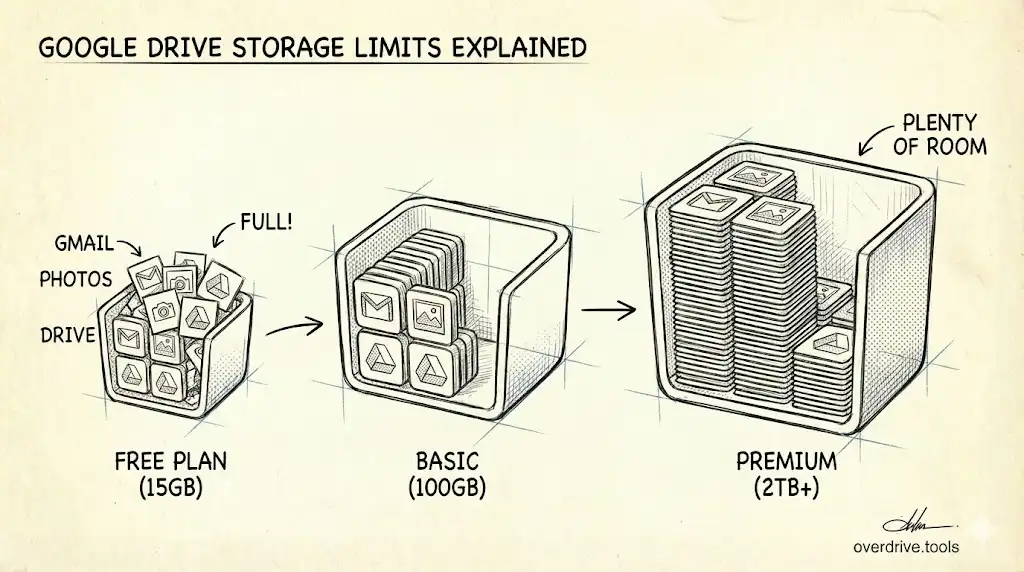
Google Drive gives you 15 GB free—three times more than OneDrive's 5 GB and vastly more than Dropbox's meager 2 GB.
However, Google's 15 GB is shared across Gmail, Google Photos, and Drive. If you've been using Gmail for years, a chunk of that space is already eaten up by email attachments. Dropbox and OneDrive's free tiers are dedicated to file storage only.
For most people starting fresh, Google's 15 GB is genuinely generous. But if your Gmail is overflowing, that "free" storage might be less useful than it appears.
Pricing: Google Offers the Best Value
When you need more space, pricing structures vary significantly.
Personal plans:
| Storage | Google One | Dropbox | OneDrive |
|---|---|---|---|
| 100 GB | $1.99/mo | — | $1.99/mo |
| 200 GB | $2.99/mo | — | — |
| 2 TB | $9.99/mo | $11.99/mo | $9.99/mo (with Microsoft 365) |
Google and OneDrive are priced similarly at most tiers. Dropbox positions itself as premium—you're paying for their sync technology and reliability, not just storage.
Business plans:
| Provider | Entry plan | Storage |
|---|---|---|
| Google Workspace | $7/user/mo | 30 GB pooled |
| Microsoft 365 | $6/user/mo | 1 TB per user |
| Dropbox Business | $18/user/mo | 5 TB team storage |
Microsoft 365 offers dramatically more storage per dollar for businesses. Google Workspace's appeal is its productivity suite and collaboration tools, not raw storage value.
Sync Speed: Dropbox Still Leads
Dropbox built its reputation on fast, reliable file syncing, and it still holds that edge.
The technical reason: Dropbox uses block-level sync universally. When you change a small part of a large file, Dropbox only uploads the changed blocks, not the entire file. This makes a significant difference for large files like videos, Photoshop documents, or database files.
OneDrive also uses block-level sync—but only for Microsoft Office files. For other file types, it re-uploads the entire file.
Google Drive syncs quickly for Google-native files (Docs, Sheets, Slides) but can be slower for large non-Google files.
Who cares about this? If you frequently work with large files (video editors, designers, developers), Dropbox's sync advantage is noticeable. For typical document work, all three are fast enough.
Search: Google's Core Competency
Google is, fundamentally, a search company. This shows in Google Drive.
Search results appear instantly as you type. Google can search within documents, not just filenames. The search syntax is powerful—you can filter by file type, date, owner, and more.
OneDrive's search is competent, especially within Microsoft files. Dropbox's search works but lacks Google's polish and speed.
If you have thousands of files and frequently need to find specific documents, Google Drive's search alone might justify the choice.
Integration With Productivity Tools
Google Drive integrates seamlessly with Google Docs, Sheets, Slides, and the broader Google ecosystem. Real-time collaboration is smooth—multiple people can edit the same document without conflicts.
OneDrive integrates tightly with Microsoft 365. If your team uses Word, Excel, PowerPoint, and Teams, OneDrive feels like a natural extension. Co-authoring in Office apps works well.
Dropbox takes a different approach: it integrates with everything. Dropbox plays nicely with both Google Workspace and Microsoft 365. You can create and edit Google Docs directly from Dropbox. This flexibility makes it appealing if your work spans multiple ecosystems.
Security Features
All three services offer standard security: encryption in transit and at rest, two-factor authentication, and compliance with major security standards.
Differences emerge in advanced features:
Dropbox offers password-protected links and link expiration on all paid plans. In 2024, they introduced end-to-end encryption for business teams.
OneDrive includes a Personal Vault with additional authentication requirements—useful for sensitive documents. Ransomware detection and file recovery are built into Microsoft 365 plans.
Google Drive restricts advanced sharing controls (password protection, expiration dates) to paid Workspace plans. Google's security is strong, but consumer accounts get fewer access control options.
For security-conscious users, Dropbox and OneDrive offer more granular sharing controls on personal plans.
Offline Access
OneDrive has the smoothest offline experience on Windows. Files on Demand lets you see all your files in File Explorer, downloading them only when opened. It feels native.
Dropbox also handles offline access well with Smart Sync, though it requires the desktop app.
Google Drive requires more setup. You need Drive for Desktop installed, and for Google Docs/Sheets/Slides, you need to enable offline mode in Chrome with a browser extension. It works, but it's not as seamless.
On mobile, all three work similarly—mark individual files for offline access.
Mobile Apps
All three have solid mobile apps, but Google Drive has an edge on Android (unsurprisingly) while OneDrive integrates better with iOS if you're a Microsoft 365 user.
Google Drive's mobile app includes built-in document scanning, which is genuinely useful. Dropbox also offers scanning, while OneDrive's scanner lives in a separate app (Microsoft Lens).
Who Should Use What
Choose Google Drive if:
- You use Gmail, Google Docs, or Android
- Collaboration and real-time editing matter to you
- You want the most free storage
- Search is important to your workflow
Choose Dropbox if:
- You work with large files frequently
- You need to integrate with multiple ecosystems
- Sync speed and reliability are paramount
- You want advanced sharing controls on a personal plan
Choose OneDrive if:
- Your company uses Microsoft 365
- You work primarily on Windows
- You need maximum storage value for business
- You want tight integration with Word, Excel, and Teams
The Practical Reality
Most people end up using whatever their workplace provides or whatever matches their existing ecosystem. That's fine—all three services are mature, reliable, and capable.
If you're choosing for personal use and don't have strong ecosystem ties, Google Drive's free tier and search capabilities make it the default recommendation.
If you're choosing for a business, the decision often comes down to whether you're already paying for Microsoft 365 or Google Workspace. Don't pay for separate storage when it's bundled with your productivity suite.
Before committing to any paid plan, though, it's worth auditing what's actually in your current storage. You might be surprised how much space is consumed by duplicates, old files, and forgotten downloads. Tools like Overdrive can scan your Google Drive to show exactly what's using space—you might not need that upgrade after all.